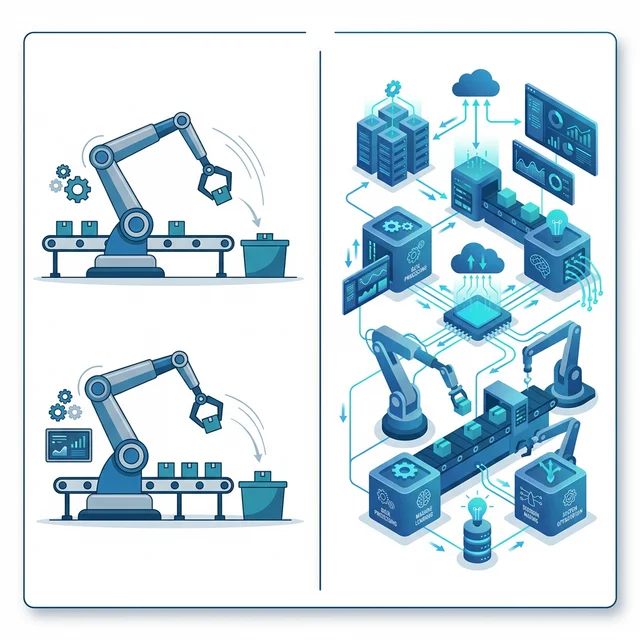

If you've heard "RPA" mentioned in business conversations and wondered what it actually involves — whether it's robots on a factory floor or something else entirely — you're not alone. Robotic Process Automation sounds futuristic, but the concept is surprisingly straightforward. And once you understand it, you'll probably recognize dozens of tasks in your organization that could benefit from it immediately.
What Is Robotic Process Automation?
Robotic Process Automation (RPA) is software that replicates the way a human user interacts with a digital system — clicking buttons, reading screens, entering data, copying information between applications, submitting forms. The "robot" in RPA is not a physical machine; it's a software bot that operates computer interfaces just as a human would.
The critical distinction that makes RPA uniquely valuable: it doesn't require access to an application's underlying code or APIs. The bot just uses the interfaces that already exist — the same screens your employees already use. This means RPA can automate tasks in legacy systems that nobody can modify, in vendor software with no integration options, and across any combination of applications — without any system integration work.
How RPA Works in Practice
An RPA bot follows a defined set of rules, executed in sequence. A simple example: a bot that processes customer refund requests might:
- Open the email inbox and read new refund request emails
- Extract the order number and reason code from each email
- Log into the order management system and look up the order
- Verify the order meets the refund policy criteria
- Process the refund transaction in the payment system
- Send a confirmation email to the customer
- Update the CRM record with the refund details
- Log the transaction in the reconciliation spreadsheet
A human doing this task might take 5–10 minutes per request. A bot does it in under 30 seconds, around the clock, at zero marginal cost per additional request, and with near-zero errors. For a business processing 200 refund requests per week, this translates to 25+ hours of labor savings weekly — just from one automated workflow.
Three Types of RPA Bots
Attended Bots
Attended bots work alongside humans, triggered by a human action and running on the user's own machine. They handle the repetitive, mechanical parts of a task while the human handles the parts requiring judgment or interaction. Example: a collections agent clicks a button, the bot immediately pulls all relevant account information from multiple systems into a single view — no manual lookup required.
Unattended Bots
Unattended bots run autonomously on their own schedule or triggered by a system event, without human involvement. They typically run on a dedicated server or in the cloud. Example: every night at 2am, a bot processes all the day's orders, reconciles inventory across systems, and generates exception reports for the morning shift.
Hybrid Bots
Hybrid bots combine both modes — running autonomously for most cases and escalating to human intervention when they encounter exceptions they're not configured to handle. This is the most resilient approach for complex business processes.
Where RPA Delivers the Highest ROI
- Finance and accounting: Invoice processing, accounts payable, reconciliation, financial close activities
- HR: Employee onboarding, payroll processing, leave management, compliance reporting
- Supply chain: Purchase order processing, supplier invoice matching, inventory updates
- Customer service: Account updates, refund processing, WhatsApp-based status inquiry responses
- IT operations: User provisioning, system monitoring, incident logging
- Compliance: Regulatory reporting, data extraction, audit trail generation
"RPA is not about replacing people — it's about eliminating the mindless, repetitive tasks that prevent people from doing the work they were actually hired to do."
RPA vs. Traditional Automation: Key Differences
Traditional automation requires access to system code or APIs. RPA does not — it works through the UI layer, just like a human. This makes RPA deployable in weeks where traditional integration might take months, and applicable to systems where integration isn't possible. The trade-off is that UI-based automation is more fragile than API integration when systems change — a fact to plan for in your governance model.
Choosing the Right RPA Platform
The three dominant enterprise RPA platforms are UiPath, Automation Anywhere, and Blue Prism. For smaller deployments or specific use cases, Microsoft Power Automate with RPA capabilities is increasingly capable and well-integrated with the Microsoft ecosystem. Each has different strengths in ease of development, scalability, total cost, and ecosystem integration.
Is RPA Right for Your Organization?
RPA makes sense when you have high-volume, rules-based, repetitive digital tasks that span multiple systems, particularly where those systems don't have APIs or where integration would be prohibitively expensive. It doesn't make sense as a substitute for proper system integration where integration is feasible, or for genuinely judgment-intensive tasks that require human cognition.
If you're evaluating RPA for your organization, start by exploring the top RPA use cases in retail and e-commerce to see where the highest ROI lies. Then, talk to our team. We can help you identify the right candidates and build a scalable RPA programme that delivers measurable ROI.